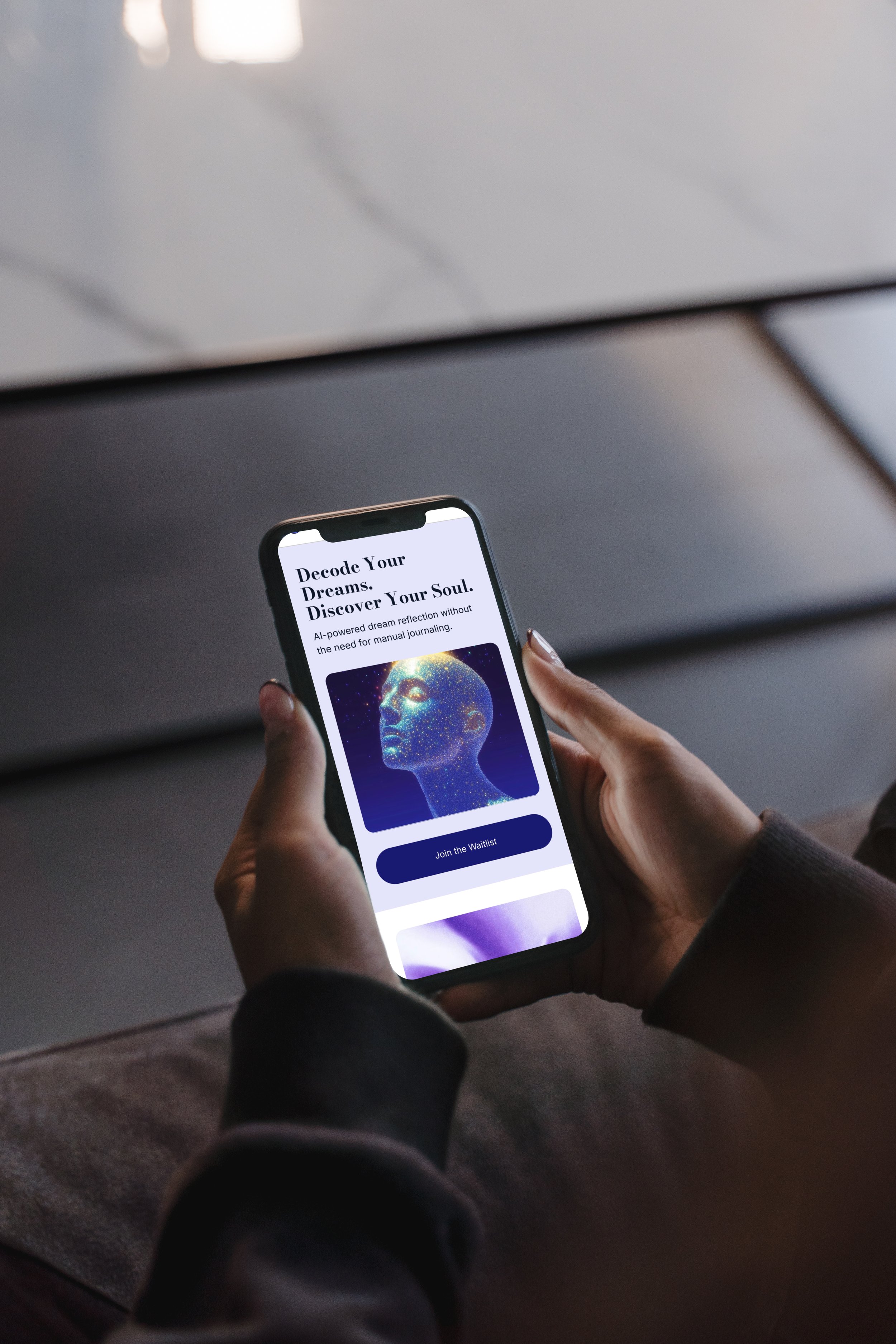
Person holding a smartphone displaying a digital art image of a human face made of stars and digital elements, with app text about decoding dreams and discovering the soul.

SomniSphere

UI Design for a Human Development Career Platform | A Clear, Trust-Centered Desktop Interface.

01
My role:

Ui designer

02
Timeline:

May 2023 - Jan 2024

03
Tool Used

Figma, Adobby Illustrator

Project Overview

• Create a consistent and trustworthy platform for personal and career development.
• Make personality-test flows clear and engaging.
• Encourage return visits and user loyalty.
• Build a visual identity based on illustrations instead of photography.

Business Goals

• People searching for a suitable career path.
• Users who want to understand and improve their personal and professional capabilities.

Target Users

• Home page with all key services visible.
• Full UI for personality test flows.
• A unified, minimal, illustration-based look.
• Scalability for future features.

Client Priorities

• Lack of clear UX research → required additional clarifications during UI design.
• Very large number of screens (88) with shifting requirements.
• Maintaining visual & component consistency across expanding pages.
• Close collaboration with developers to ensure accurate implementation.

Challenges

My Approach

Visual Exploration

I evaluated two visual directions, a clean corporate look vs. an illustration-driven friendly interface.
Considering the product’s need for trust, safety, and approachability, I selected a minimal layout with consistent illustrations to create a warm yet professional tone.
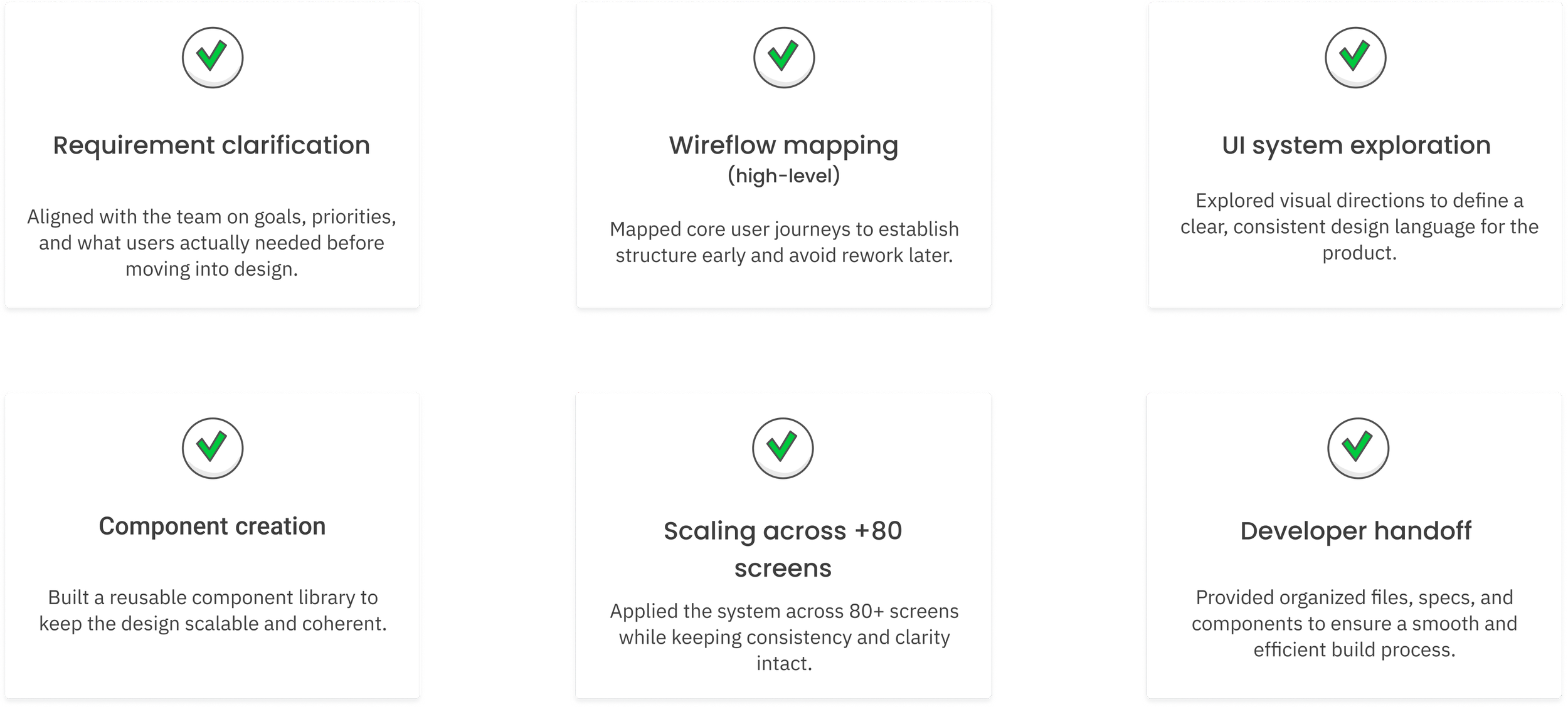
A digital flowchart describing a design process with six steps: requirement clarification, wireflow mapping, UI system exploration, component creation, scaling across 80+ screens, and developer handoff. Each step has a checkmark icon indicating completion.

Workflow & Process

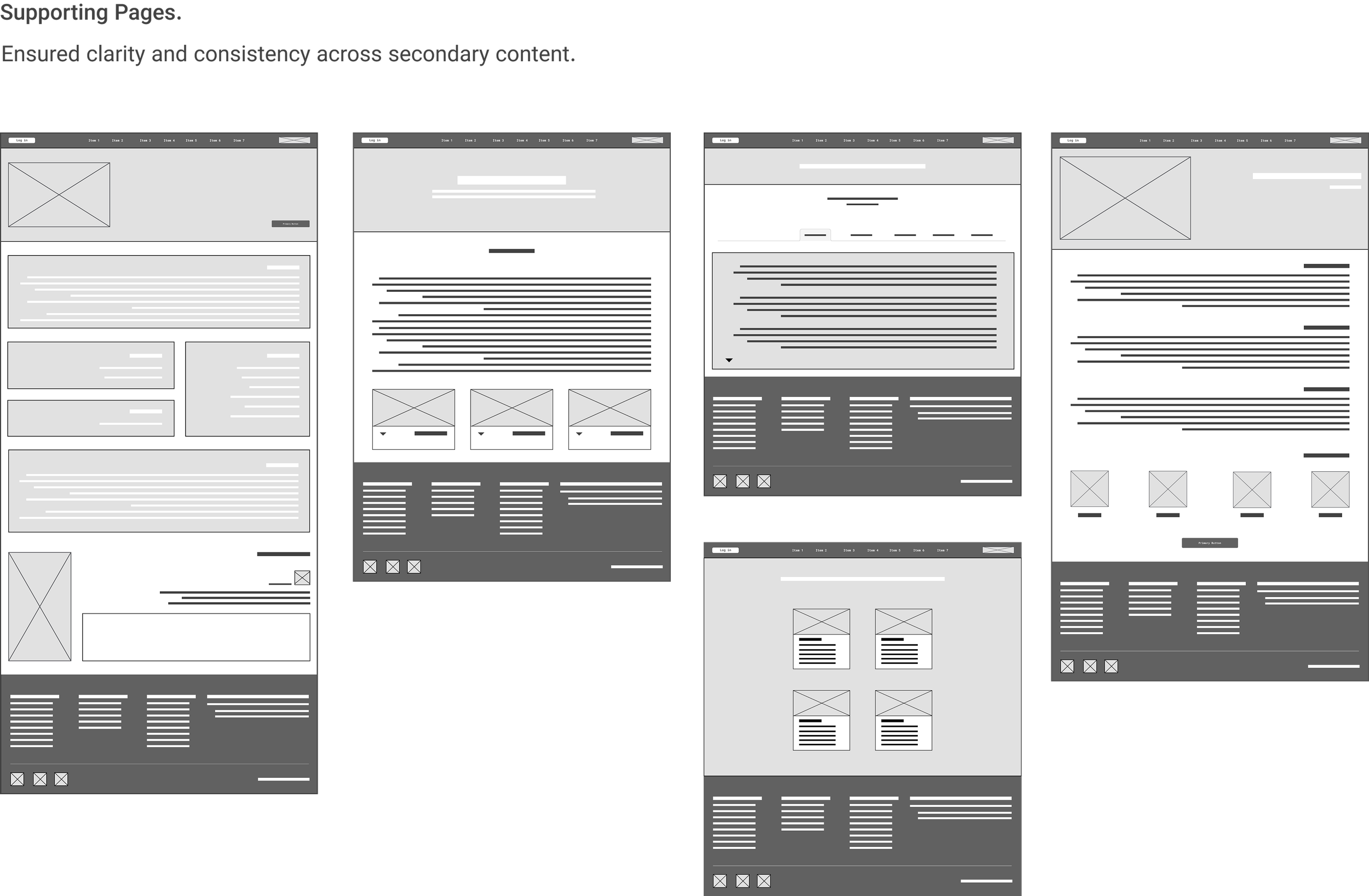
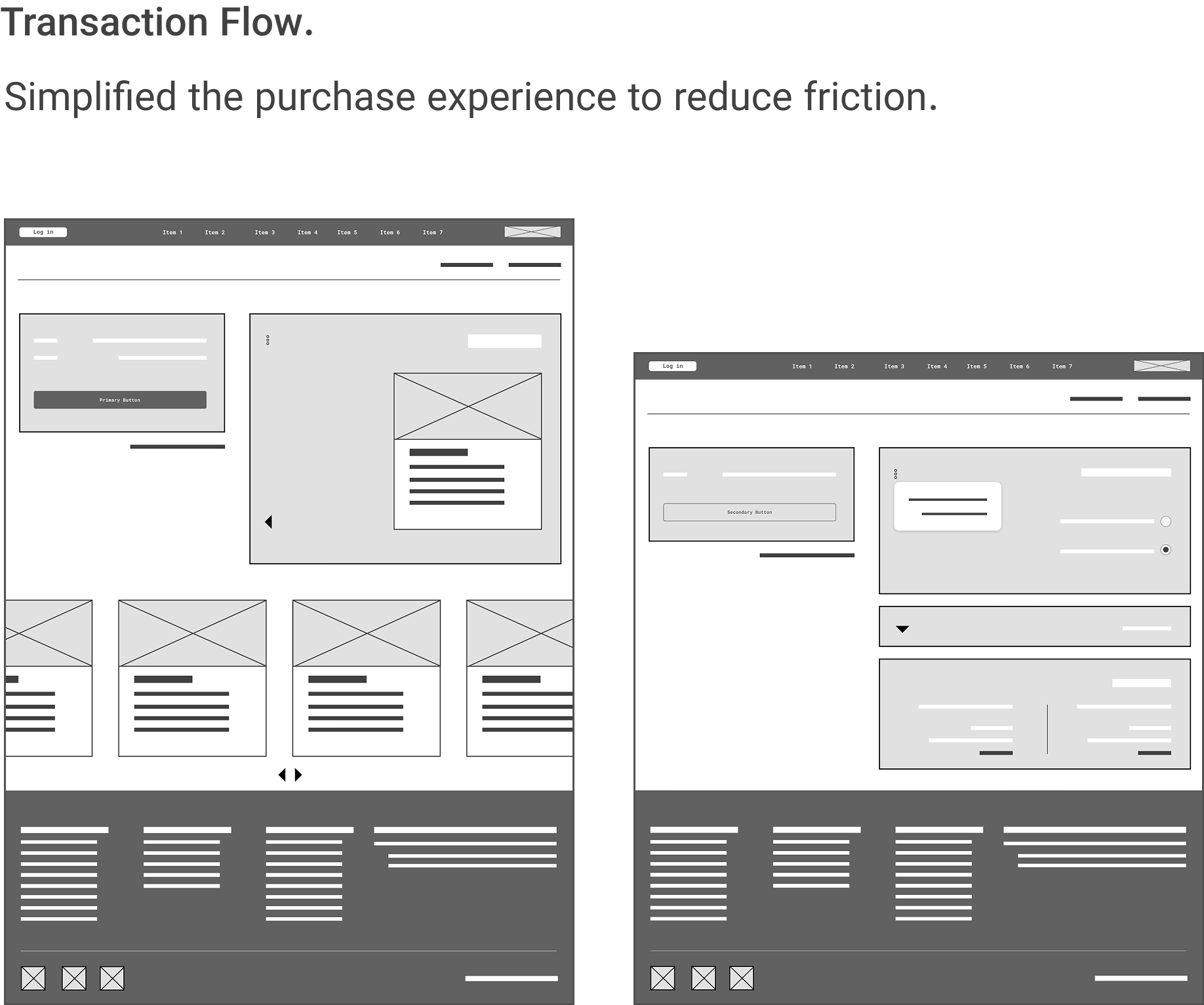
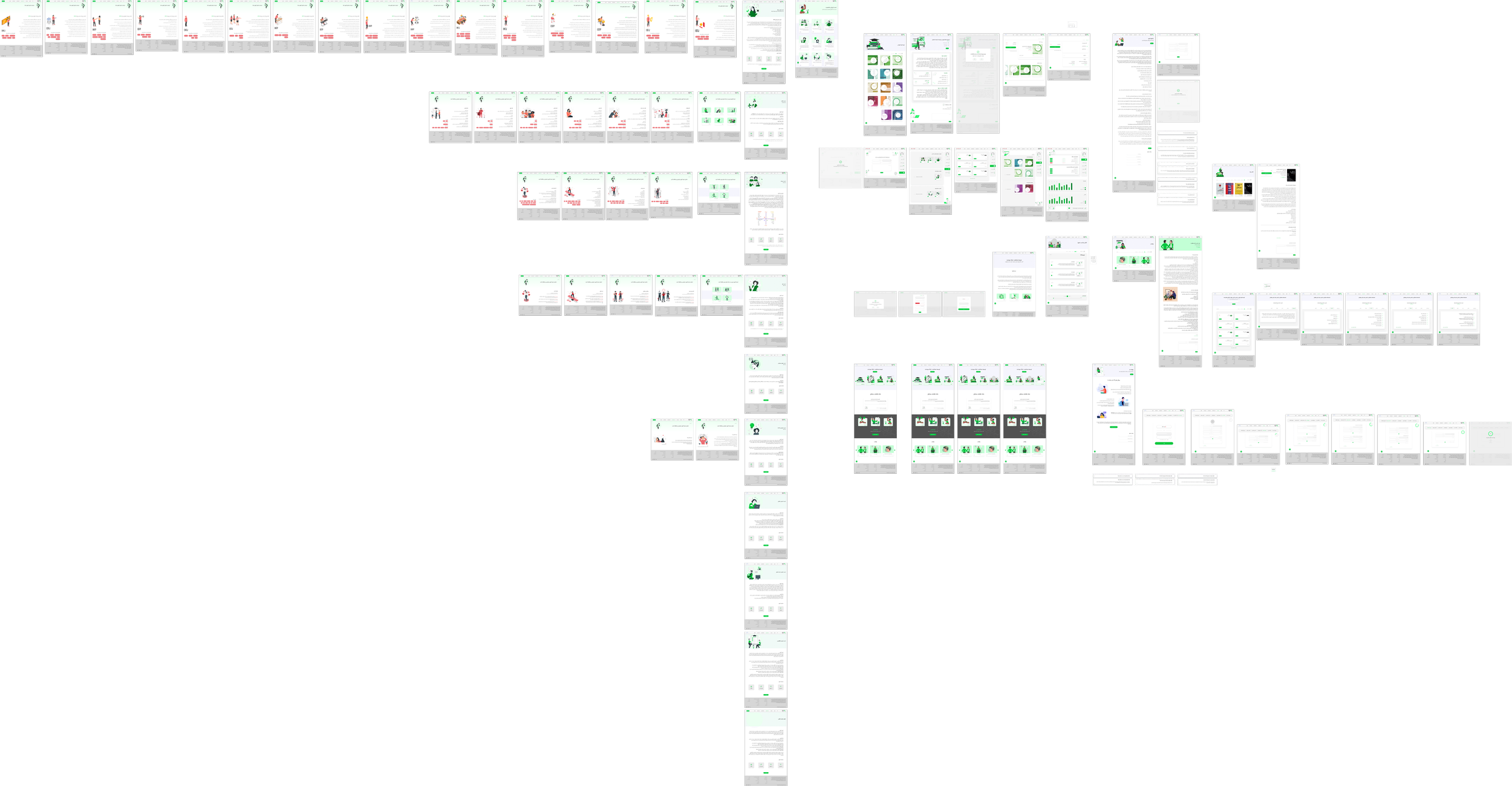
Wireframes | Low-Fi

The wireframes helped define the core structure and flow before moving into the high-fidelity UI stage. Since the project included more than 80 screens, this step ensured consistency, logical hierarchy, and a clear foundation for the visual system.

Key screens
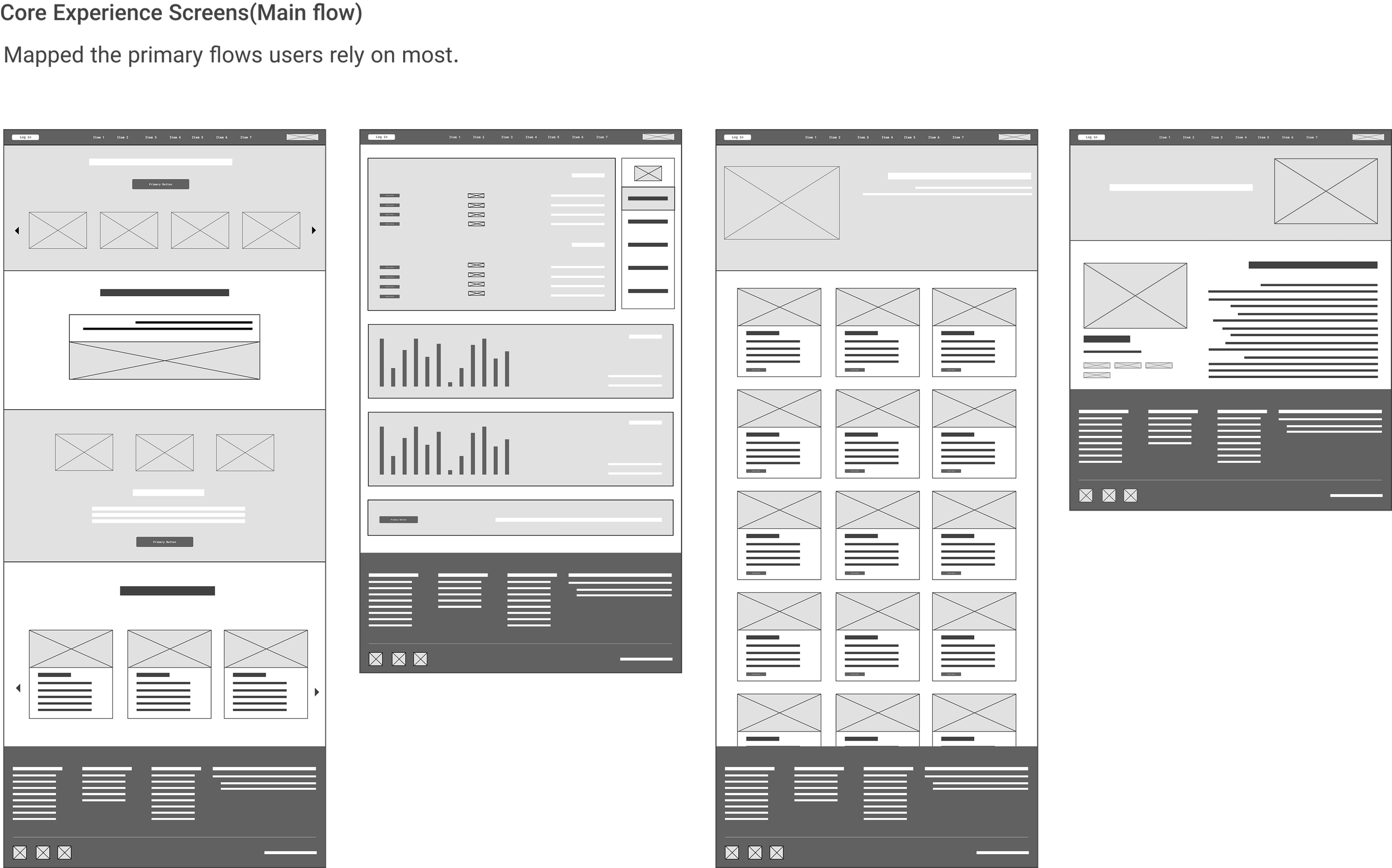
Four grayscale website wireframes showing different page layouts with navigation menus, images, text blocks, and charts.
A collection of website wireframes in grayscale, demonstrating various page layouts with placeholders for images, text, buttons, and navigation menus.
Two grayscale wireframe website layouts side by side, featuring navigation bars, headers, content sections with placeholder text, buttons, and footer areas, illustrating different web design templates.
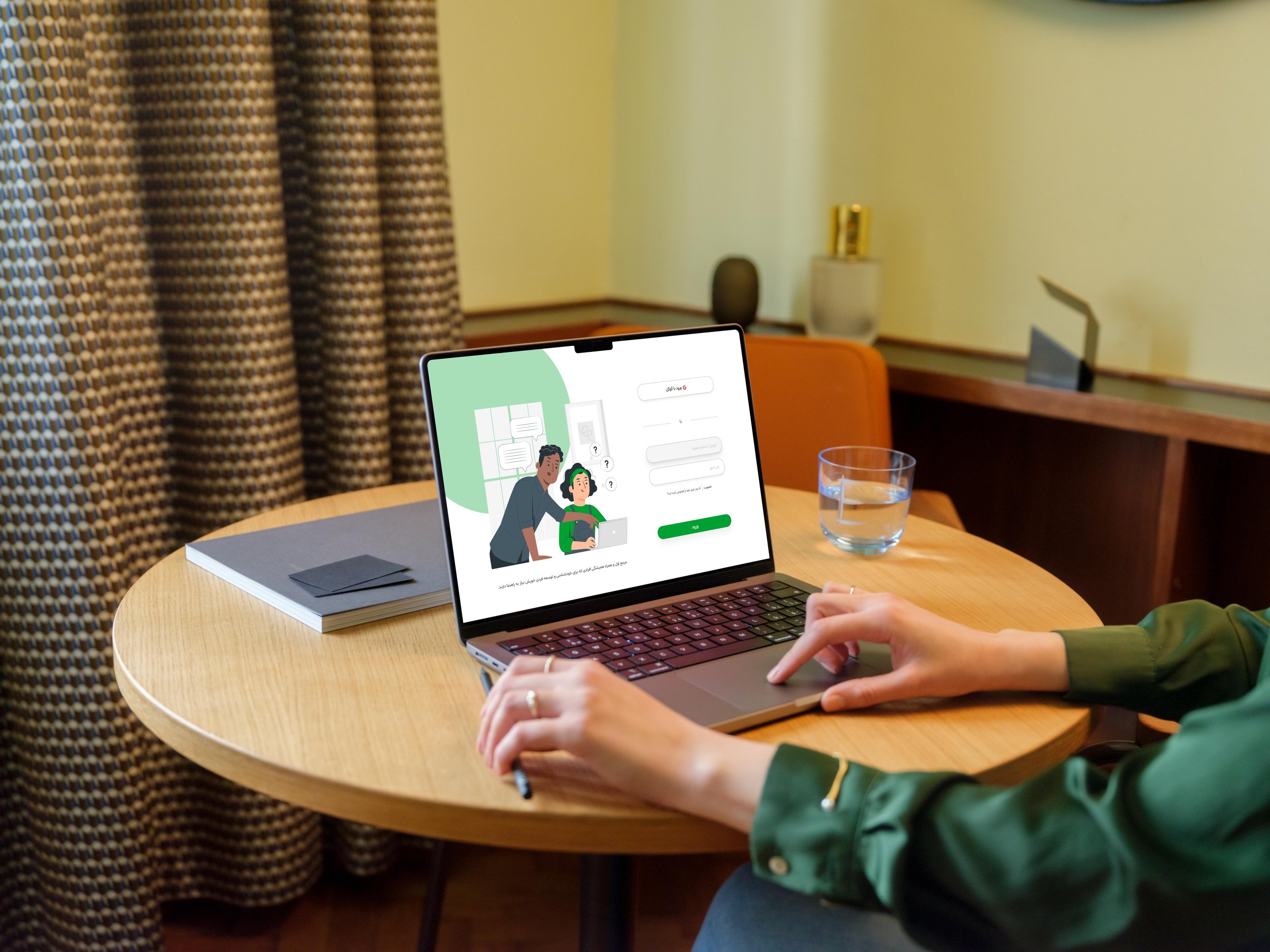
A person wearing a green jacket is sitting at a round wooden table, using a laptop. The laptop screen displays a cartoon image of two people and some text. On the table, there are a glass of water, a closed notebook, and a pen. In the background, there is a room with yellow walls, patterned curtains, a black speaker, and decorative objects on a shelf.

Design System & UI Library

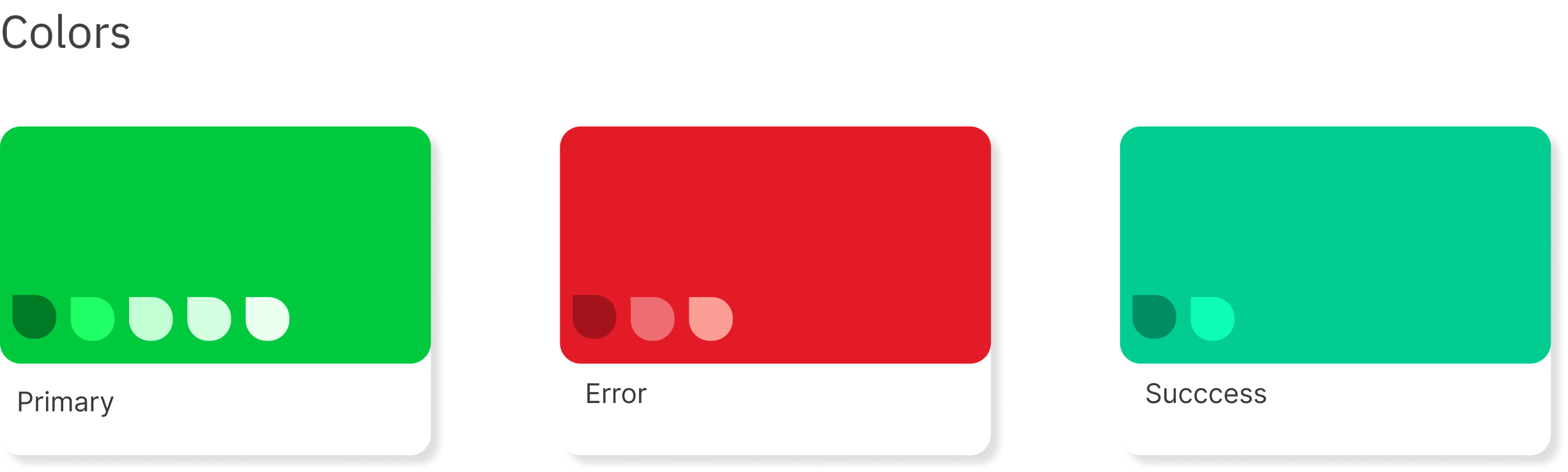
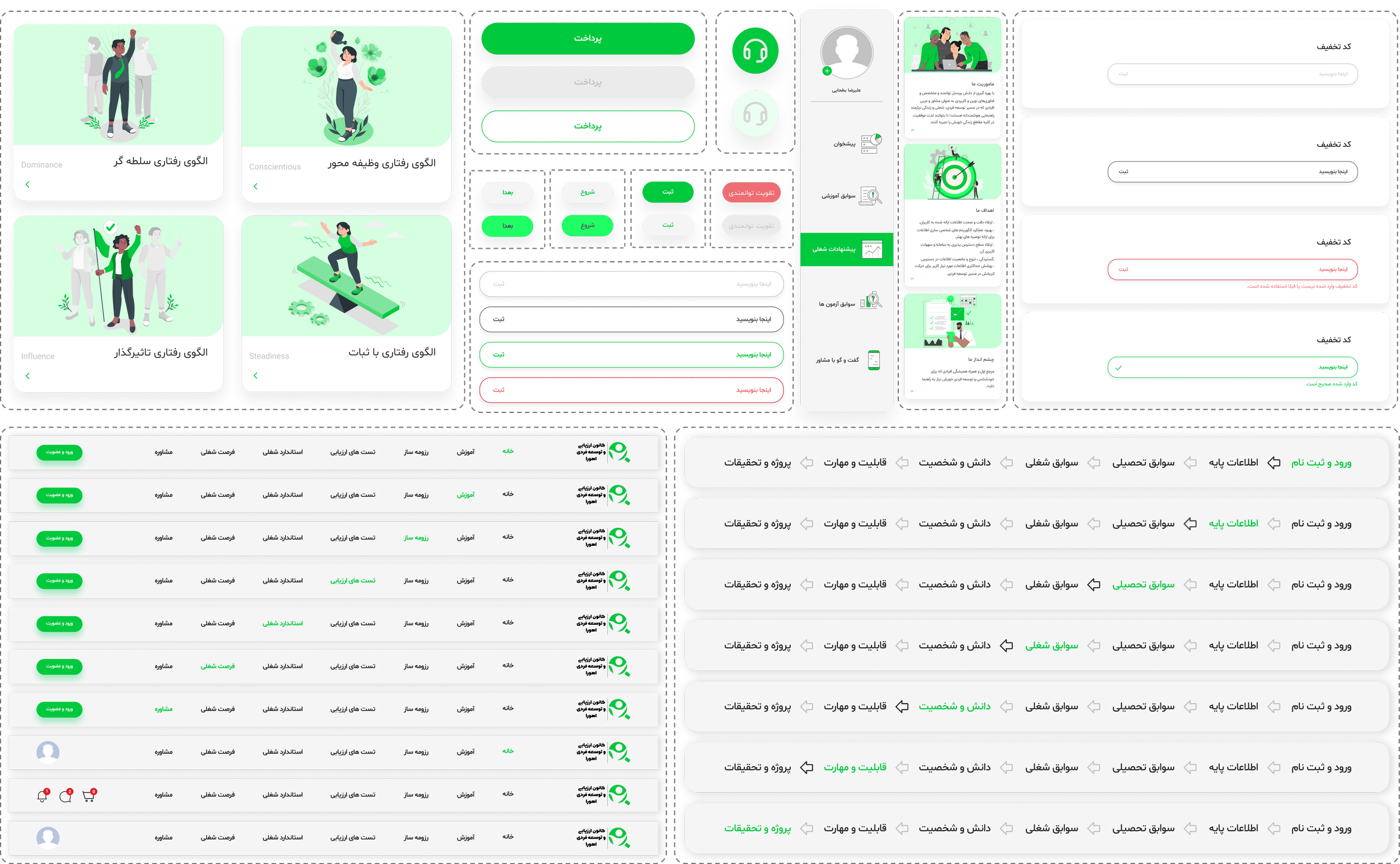
Color-coded cards labeled 'Primary' in green, 'Error' in red, and 'Success' in teal, with indicator dots on each card.

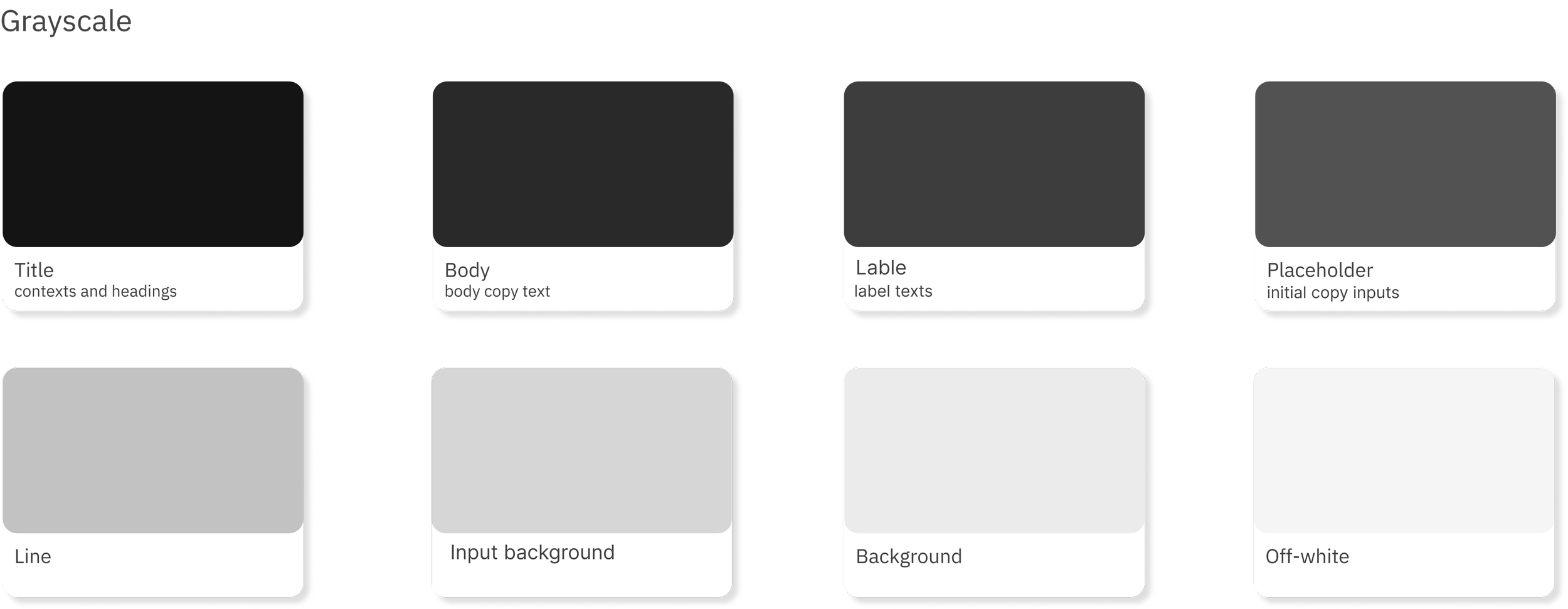
Color pallet

A visual diagram with labeled boxes and sections related to design elements, including titles, body text, labels, placeholders, lines, background, and off-white colors.
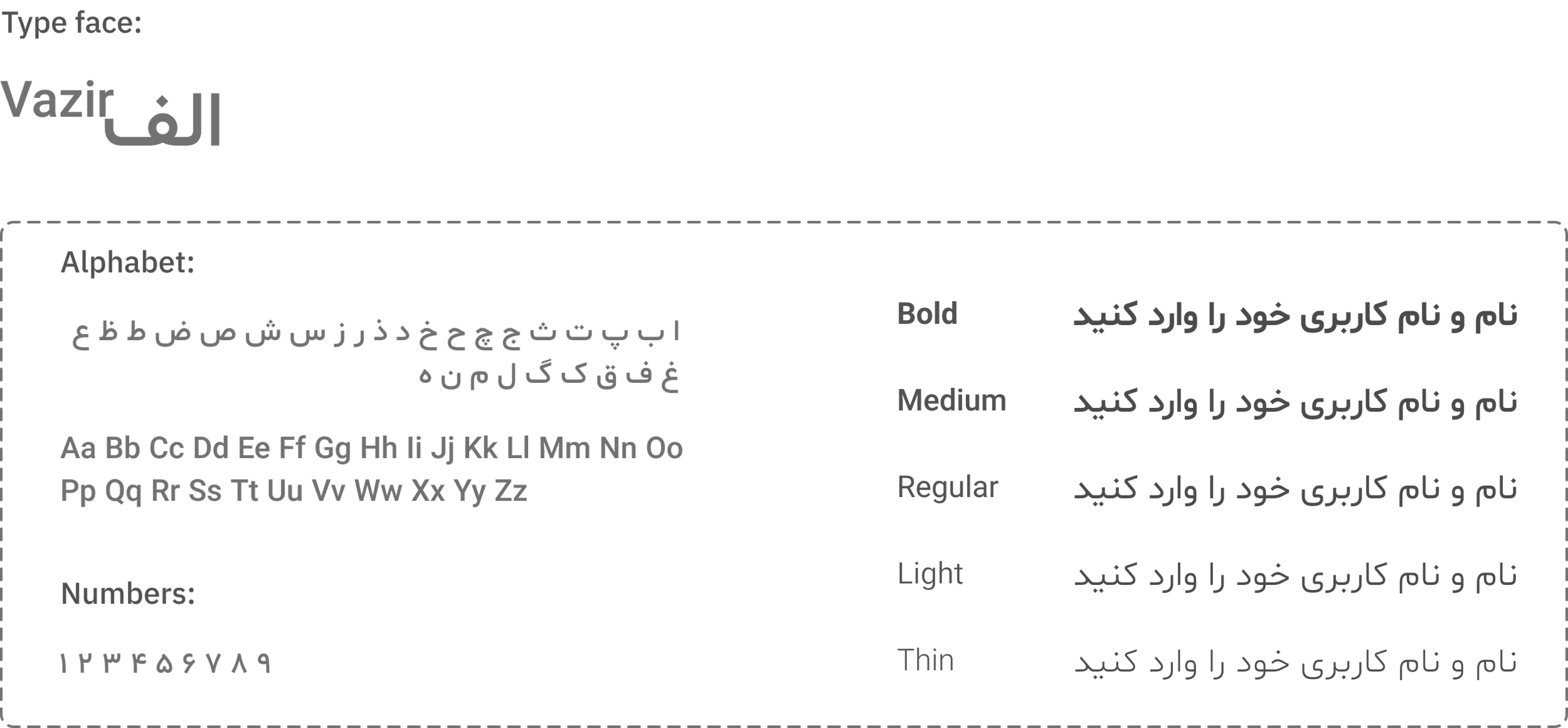
Image of a font style guide with Arabic and English alphabets, font weight options (Bold, Medium, Regular, Light, Thin), and sample numbers, all in a black background with gray text.

Typography

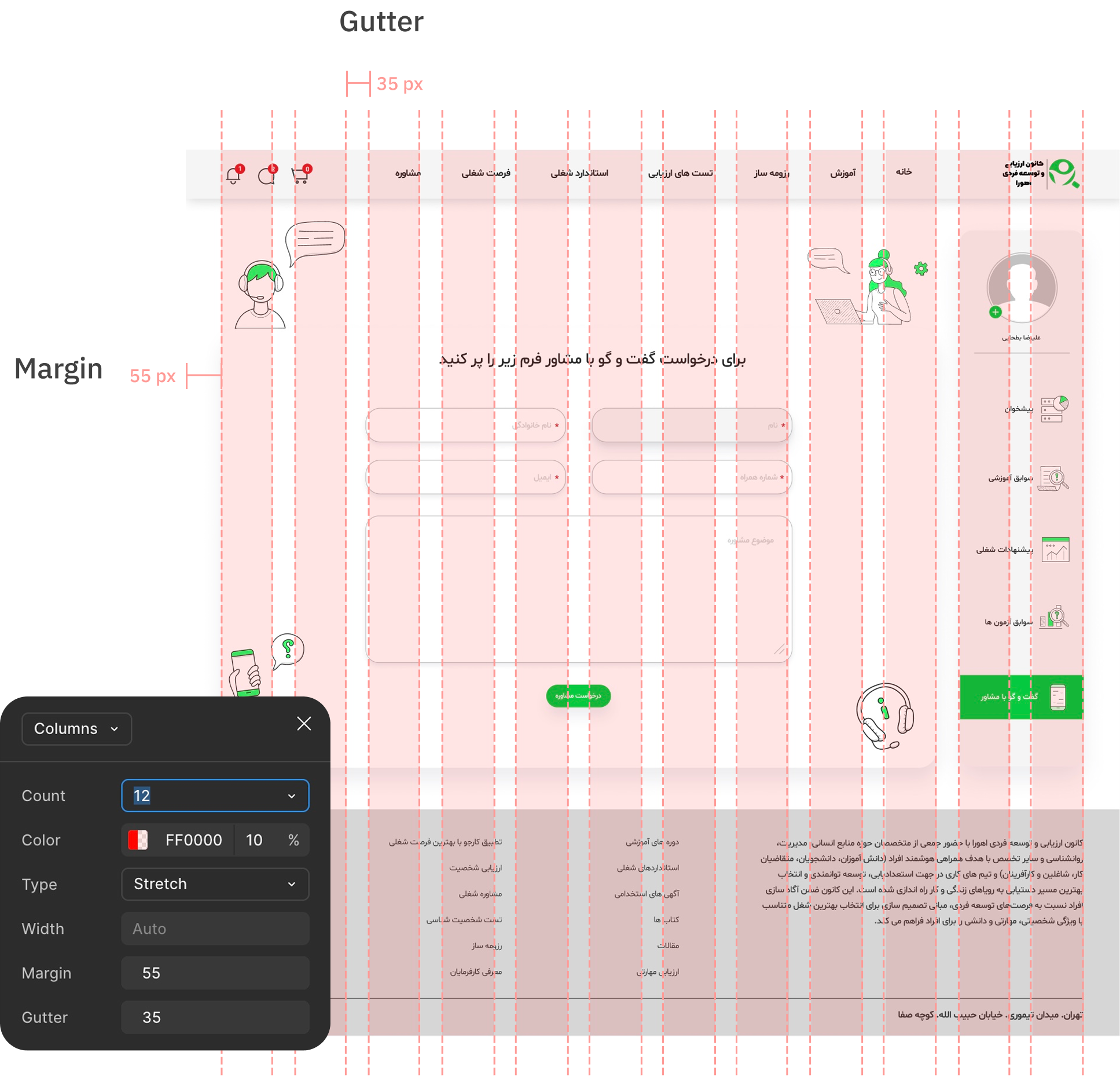
Grid

Screenshot of a webpage or app interface with Persian (Farsi) text, including various sections and icons related to consulting, occupational standards, training courses, human resources, and employment. The interface shows gridlines and measurement guides, indicating design or layout adjustments.
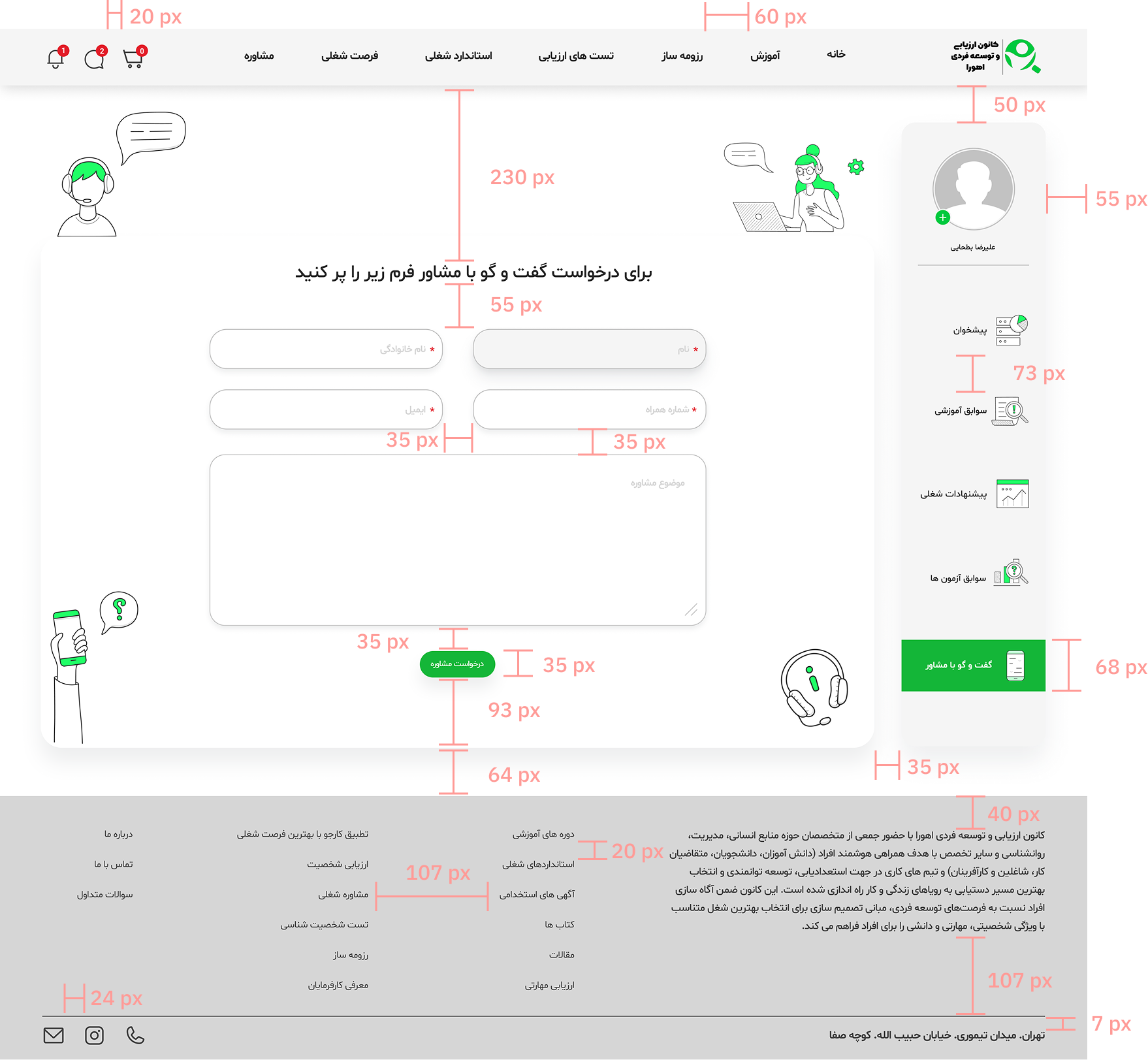
Screenshot of a Persian-language website with a white background and green accents. It includes a navigation bar with icons for notifications, chat, and shopping cart, and menu options for assessment, training, standards, evaluation tests, and profile. The main content features illustrations of people with communication bubbles and a telephone, along with sections for consultation, registration, and information about career guidance and evaluation services.

Icon

A toolbar with various icons including a pencil, gift box, paper plane, eye, email, heart, shield, settings sliders, clock, Instagram, speech bubble, phone, shopping cart, lightbulb, bell, and pencil.

Component

Screenshot of a website or application with various UI elements, menu options, and user interface components primarily in Persian language. The interface includes sections for registration, login, search, and navigation, with icons and text in green, black, white, and gray colors.

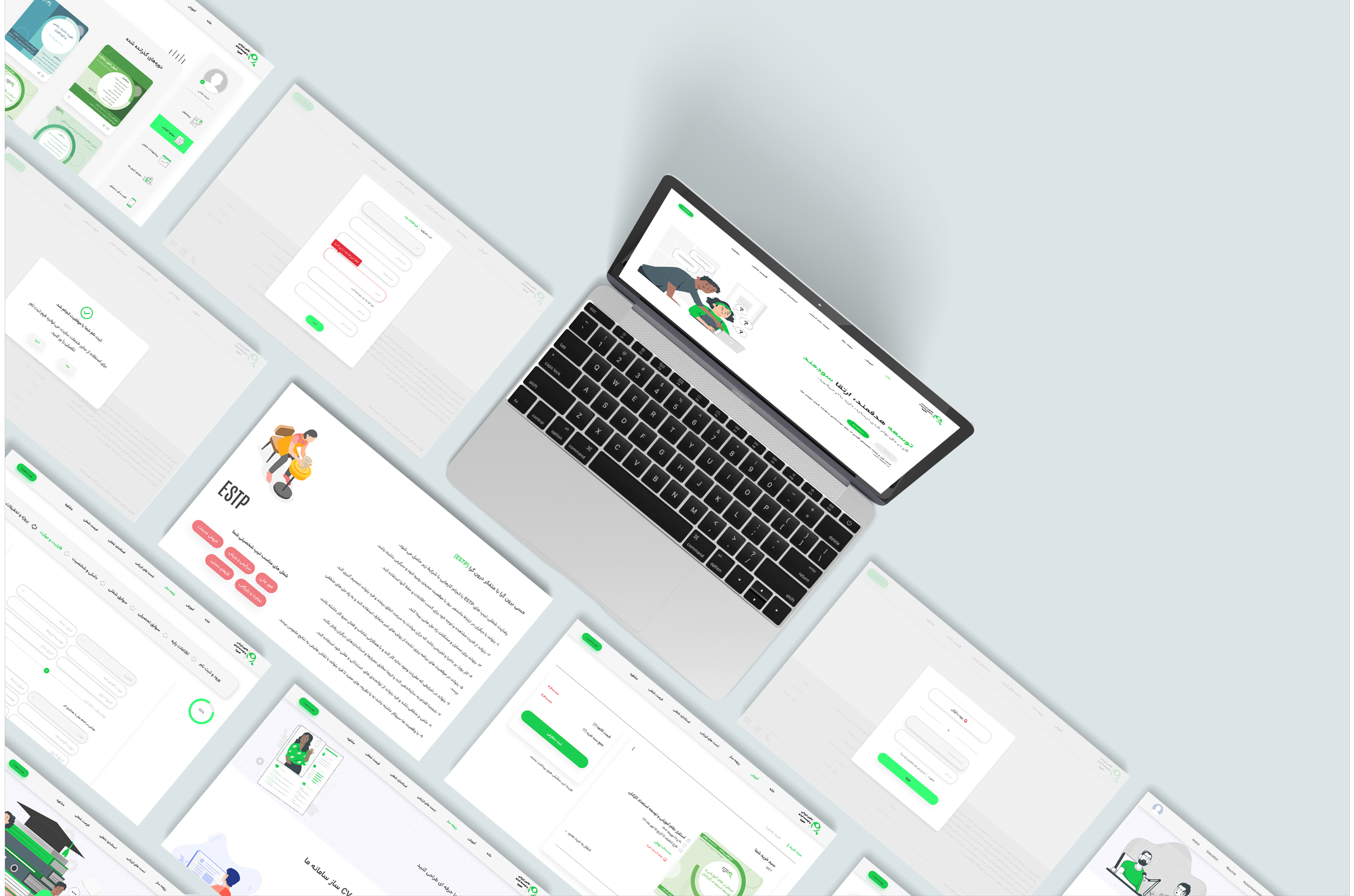
+ 80 Screen 9 Months

Multiple screenshots of a mobile app or website interface with a green and white color scheme, arranged in a collage pattern.
A digital interface on multiple screens shows a website in Arabic, with green and white design elements, illustrations, and various forms and articles.

The minimal visual style and step-by-step flow;

Reduced cognitive load.
Sped up test completion.
Increased user engagement by up to 30%.

Watch the key user flows in a quick walkthrough!

A black check mark on a white background.

Output of soft skills & knowledge

This project was my first professional experience in the UI design field, marking my transition from structured learning into real-world product design. It allowed me to face real challenges, strengthen my UI skill set, and apply design principles in a true production environment.

Throughout the process, I collaborated closely with cross-functional teams to align design decisions with business goals while maintaining a strong user-centered approach through continuous feedback and iteration.

The project moved through both design and development phases and was later paused due to changes in the company’s roadmap. Despite this, it became a valuable hands-on experience that deepened my understanding of production-level UI design and professional collab